

Using ChatGPT to Build Internal Training Slides: Faster, but Not “Effortless”
My First Time Using ChatGPT for Internal Training
This was my first time working with ChatGPT to create an internal training slide deck. The training focused on a new menu at the ryokan (a traditional Japanese inn) where I currently work.
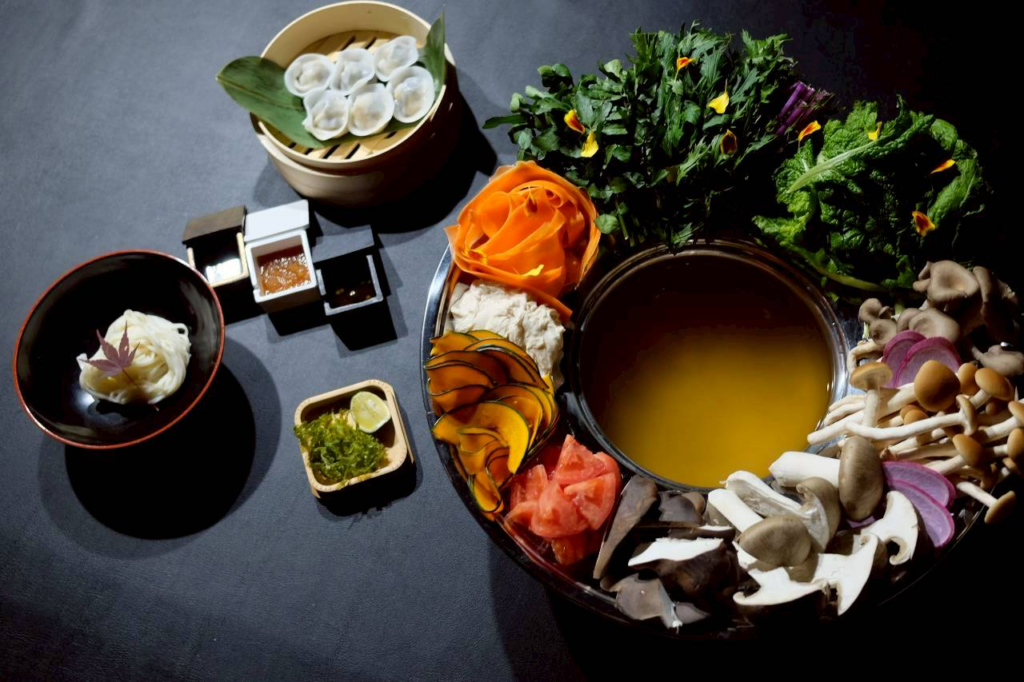
This wasn’t a familiar menu like kaiseki, beef shabu shabu, or crab hotpot — menus that most ryokan in Kinosaki Onsen already offer, and that both staff and guests are used to. The new menu, called Fermented Flower Hotpot, is a plant-based, vegan menu built around seasonal ingredients and flavors. More importantly, this was the first time our kitchen had designed a menu like this from scratch.
The challenge wasn’t just about being able to cook the dishes. It was about making sure the staff truly understood what made this menu special. I was directly involved throughout the entire process — from discussing the concept with the kitchen team, joining food tastings, to participating in trial service sessions to gather guest feedback.
Even with that level of involvement, there were moments when I had to pause, reorganize the information, and find clearer ways to explain it. That made one thing very clear to me: for staff who hadn’t been involved from the beginning, understanding the spirit of the menu and explaining it confidently to guests would be far from easy.
Why We Needed an Internal Training Deck
This menu was a completely new experiment for the kitchen. There was no previous experience to rely on, and vegan guests tend to ask detailed, thoughtful questions. Without a shared knowledge base, staff could easily feel uncertain or end up giving only surface-level explanations.
That’s why I felt an internal training slide deck was essential. The goal wasn’t to teach cooking techniques, but to tell the story behind the menu — the ingredients, the philosophy, and the intention of the kitchen — so that staff could present the dishes clearly and confidently.
The Real Challenges of Creating the Slides
Once I started working on the slides, several practical challenges became obvious. First, time: I had just one day to prepare everything for the training session. Second, language: while I can read and understand English food descriptions, writing them in a concise, practical way for daily service takes much more effort. On top of that, I needed clear Japanese notes so local staff could quickly grasp the key points.
The third challenge — and the most critical one — was accuracy. This menu was the result of months of testing and refinement by the kitchen. Condensing all of that into short, easy-to-understand slides, while staying true to the original concept and the plant-based philosophy, was not a simple task.
How I Worked with ChatGPT on This Training Project
I didn’t turn to ChatGPT expecting it to “do the work for me.” What I needed was a tool that could help me process language quickly, support my weaker areas, and help organize my thoughts under tight time constraints.
At first, I optimistically thought the whole task might take one or two hours. In reality, completing the full training deck took around six to seven hours. That gap between expectation and reality is exactly why I wanted to write this article.
Before asking ChatGPT for help, I clarified the training goals, the target audience (service staff), and what level of understanding was realistically needed after the session. I then drafted a rough outline and used ChatGPT as a thinking companion to refine it.
📌 Example Slide 1 – Training Goals and Target Audience

This slide anchors the entire deck. It clarifies who the training is for, what staff should be able to do afterward, and how deep their understanding needs to be. It also helps prevent the slides from drifting away from the menu’s core philosophy.
Once the outline was finalized, I built each slide step by step. The deck consisted of 15 slides in total. I developed the content through ongoing conversations with ChatGPT, reviewed and edited everything carefully, and then transferred the final text into Canva for presentation.
The outline covered why the ryokan decided to create a vegan menu, the key ingredients and distinctive style of the Fermented Flower Hotpot, detailed menu items with photos, and service scripts in both English and Japanese. For English, I also needed a simplified version that Japanese staff could comfortably use when speaking with guests.
Working with ChatGPT throughout the entire process revealed something interesting: AI can help track your workflow timeline surprisingly well. I could see which parts took the longest, which were quicker, and even estimate how much time remained based on my pace.
The final time investment was six to seven hours — not the one or two I had initially expected. While ChatGPT significantly reduced the time spent writing, most of my effort went into thinking, structuring, and editing. Without AI support, I believe the total time could easily have doubled or tripled.
What mattered most was that I never asked AI to “think for me.” I treated ChatGPT as a thinking support tool, while the responsibility for decisions and final content remained entirely mine.
📌 One Slide That Took Less Than a Minute — Only Because the Context Was Ready
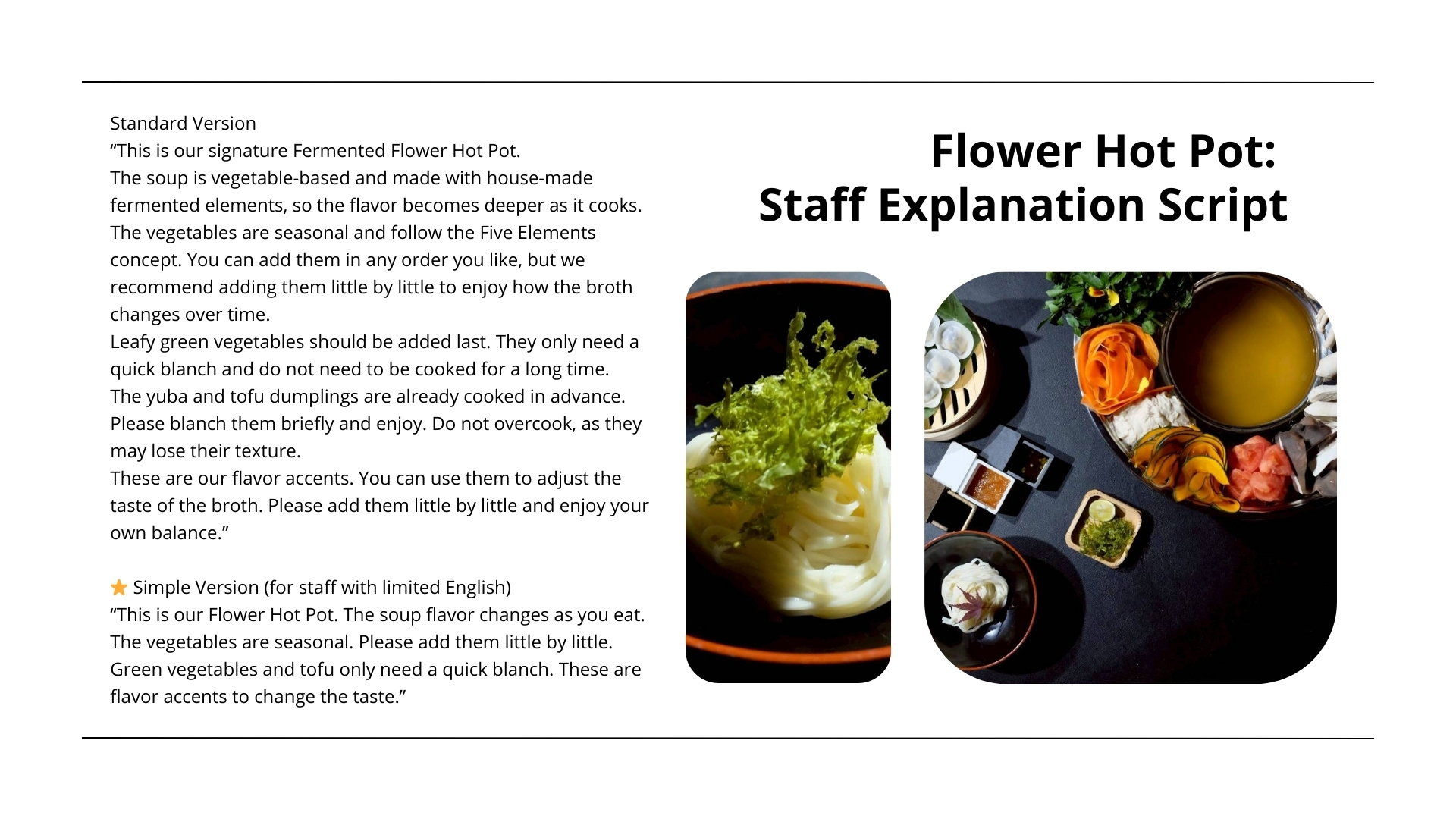
This was one of the fastest slides to create — under one minute — not because AI was exceptionally smart, but because by that point the context, information, and direction were already clear. ChatGPT simply helped turn those thoughts into clean, usable language for service.
AI Doesn’t Think for You
Many people believe that sending a single prompt to AI is enough to get everything done, or that using AI means being lazy. Based on my experience, it’s not that simple.
Through the process of reviewing, questioning, and repeatedly editing the content with AI, I found that I actually understood the menu and its concept more deeply. Instead of making the work easier, AI forced me to confront every detail — from ingredients and vegan philosophy to how each explanation would work in real service situations.
For simple, generic tasks, AI can deliver quick results. But when the work involves multiple teams, layered information, and real-world context, you still need to be the one who understands everything best. AI helps execute — it doesn’t replace thinking.
How This Experience Changed My View of ChatGPT
ChatGPT isn’t a tool that solves everything with a single question. Used correctly, however, it’s extremely powerful: it speeds up writing, supports weaker language skills, and — most importantly — frees up time to focus on thinking, direction, and decision-making, rather than rushing to get something done.
This article is also available in Vietnamese for readers who prefer to explore the original version.
👉 Read the Vietnamese version here:
https://beanjp.com/vi/post/dung-chatgpt-lam-slide-training-noi-bo/
